
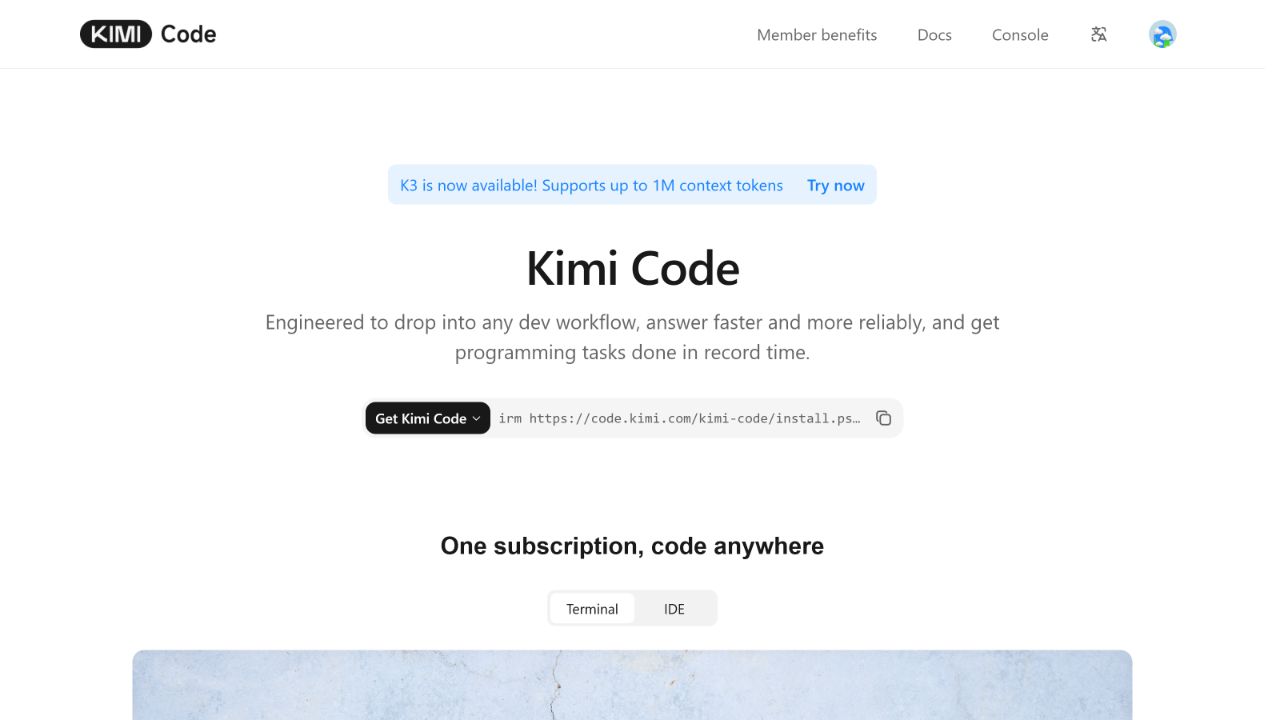
Kimi Code is Moonshot AI’s developer-focused coding service. Its official CLI can inspect a repository, edit files and run commands from a terminal. The current setup supports macOS, Linux and Windows through PowerShell; the recommended installer does not require Node.js to be preinstalled.
This guide explains the product boundaries, installation, login routes, current model IDs and membership requirements. It also provides a small, reproducible first-project protocol and reports exactly how far our controlled attempt reached.
Independent test outcome: On August 4, 2026, KI AI Team installed the exact local package
@moonshot-ai/[email protected], verified CLI version0.32.0, and ran the fixture baseline. The official OAuth device flow was then attempted, but Kimi’s models endpoint could not verify membership benefits. We stopped before model selection, agent execution, code editing or a final test run. This is a verified setup and blocked-login record—not a successful first-project result. See how we test Kimi AI.
Kimi Code at a glance
| Field | Verified value |
|---|---|
| Product | Kimi Code |
| Official terminal client | Kimi Code CLI |
| Current documented CLI release | v0.32.0, dated August 4, 2026 |
| Supported systems | macOS, Linux and Windows via PowerShell |
| Recommended install method | Official install script |
| Alternative install method | npm or pnpm, requiring Node.js 22.19.0 or later |
| First-party login | Kimi Code OAuth device flow |
| Other login route | Kimi Platform API key through the TUI /login selector |
| Default local data directory | ~/.kimi-code/ (C:\Users\<name>\.kimi-code on Windows) |
| Current Kimi Code model IDs | k3, k3-256k, kimi-for-coding, kimi-for-coding-highspeed |
| Our verified CLI check | Local package @moonshot-ai/[email protected]; CLI reported 0.32.0 |
| Our fixture baseline | 4 tests: 1 passed, 3 failed; exit code 1 |
| Our live agent attempt | Blocked during OAuth membership verification; no agent task ran |
Sources: Kimi’s CLI getting-started guide, Kimi Code overview and official release notes.
Kimi Code, K2.7 Code and the Kimi API are not the same thing
The similar names describe three different layers:
| Name | What it is | How access is billed | Example identifier or endpoint |
|---|---|---|---|
| Kimi Code | A coding service delivered through the official CLI, supported editor integrations and third-party coding agents | Kimi membership quota, with separate Kimi Code usage limits | https://api.kimi.com/coding/v1 for OpenAI-compatible third-party access |
| Kimi K2.7 Code | A coding-specialized model, not a CLI or subscription | Depends on the access route | kimi-for-coding inside Kimi Code; kimi-k2.7-code on the Global Kimi API |
| Global Kimi API / Moonshot API | A pay-as-you-go developer platform for integrating Kimi models into an application | API balance and token usage | https://api.moonshot.ai/v1 |
An API key and Base URL must belong to the same platform. A Kimi Code key cannot be assumed to work against the Global Kimi API endpoint, and a Global Kimi API key does not turn into Kimi membership credit. Kimi’s own error guide identifies mismatched keys and endpoints as a common authentication failure.
Use this page when you want an agent working inside a development folder. Use our Kimi API setup guide when you want to call a model from your own application. See the independent Kimi K2.7 Code model profile for model architecture, hosted-API constraints and pricing.
Before installing Kimi Code CLI
You need:
- macOS, Linux, or Windows with PowerShell;
- an active Kimi membership or a callable Kimi Platform API key;
- access to a modern terminal;
- a disposable project or clean version-controlled working copy for the first test; and
- Git for Windows before first launch on Windows.
Kimi Code can read files, change code and execute shell commands. Do not begin in a production checkout, a folder containing uncommitted work, or a directory holding secrets. The first run in this guide deliberately uses a tiny local fixture.
Install Kimi Code CLI on macOS or Linux
Kimi recommends its installer script. It downloads the latest release, verifies its checksum and places the kimi executable on your PATH:
curl -fsSL https://code.kimi.com/kimi-code/install.sh | bashOpening a remote script through a pipe executes it immediately. Confirm that the hostname is exactly code.kimi.com before running it. If your security policy requires package review or version control, use the npm route below instead of bypassing that policy.
Open a new terminal after installation, then verify the command:
kimi --versionIf the command is not found, reopen the terminal or reload the applicable shell configuration, such as source ~/.bashrc or source ~/.zshrc. Kimi notes that the first macOS launch can take longer because of Gatekeeper.
Install Kimi Code CLI on Windows
First install Git for Windows. Kimi Code uses the Git Bash bundled with it as the shell environment, even when the CLI is launched from PowerShell.
Then run the official installer in PowerShell:
irm https://code.kimi.com/kimi-code/install.ps1 | iexClose and reopen PowerShell, then verify the installation:
kimi --versionIf Git Bash is installed in a non-standard location, set KIMI_SHELL_PATH to the absolute path of that installation’s bash.exe. Do not copy an example path without confirming where Git is installed on your system.
Alternative: install with npm or pnpm
The package-manager route requires Node.js 22.19.0 or later. Check the runtime first:
node --versionInstall the official package with npm:
npm install -g @moonshot-ai/kimi-codeOr with pnpm:
pnpm add -g @moonshot-ai/kimi-codeVerify the installed client rather than assuming the package command succeeded:
kimi --versionThe Kimi release notes identify v0.32.0 as the latest documented release on August 4, 2026. Record the version actually printed on your machine: staged updates or a later release can make it different from this page.
Our installation verification
On August 4, 2026, our controlled environment reported:
| Component | Recorded version |
|---|---|
| Node.js | 24.14.0 |
| pnpm | 11.9 |
| Git | 2.53 |
| Installed package | @moonshot-ai/[email protected], exact local version |
| CLI version check | 0.32.0 |
This confirms that the exact package installed and its CLI started far enough to report its version in that environment. It does not verify system-wide installation, every supported operating system, membership access or a completed model request.
Upgrade or uninstall
For an interactive update check, run:
kimi upgradeIf installed with npm, you can update directly:
npm install -g @moonshot-ai/kimi-code@latestFor npm installations, uninstall with:
npm uninstall -g @moonshot-ai/kimi-codeFor the script installation, Kimi’s current instruction is to delete the installed kimi executable. Locate it first with command -v kimi on macOS/Linux or Get-Command kimi in PowerShell, verify that exact path, and remove only that executable.
Uninstalling the executable is separate from deleting user data. Kimi Code keeps configuration, session history, credentials and logs under ~/.kimi-code/ by default. Do not delete that directory merely to uninstall the program. If you intentionally want to remove saved state, review Kimi’s data locations and clearing guide and back up anything you need first.
Log in safely
Recommended: Kimi Code OAuth
Move into the project directory and start the TUI:
cd your-project
kimi
Enter:
/loginChoose Kimi Code (OAuth). The CLI uses a device-code flow: it displays a verification address and one-time code, then waits while you authorize the device in a browser. On a remote or headless machine, copy the displayed address into a browser manually.
You can also start the Kimi Code OAuth flow without opening the TUI:
kimi loginThe standalone kimi login command is specifically the Kimi Code OAuth device flow. It has no flags. The authenticated state is loaded automatically on the next start.
Alternative: a Kimi Platform API key
Inside the TUI, /login also offers Kimi Platform API key. Choose this only when you intend to use the separate pay-as-you-go Kimi Platform account. Create the key in the official platform console and never place it in a screenshot, public repository, browser-side code or support message.
The current CLI does not automatically treat a shell variable such as KIMI_API_KEY as a configured provider credential. Use the supported /login or provider configuration flow rather than assuming an exported variable has been read.
To clear the selected account’s credentials, use:
/logoutKimi says inactive device authorizations are automatically unbound after more than 30 days and can be restored through /login.
Choose the right Kimi Code model
Type /model inside a session to open the official model selector. Use the model ID, not the marketing name.
| Kimi Code model ID | Underlying model | Context | Input | Reasoning | Current access |
|---|---|---|---|---|---|
k3 | Kimi K3 | Up to 1M on eligible plans | Image and video | low, high, or max; default high | Moderato or above; 1M requires Allegretto or above |
k3-256k | Kimi K3 | 256K | Image, not video | low, high, or max; default high | Moderato or above |
kimi-for-coding | Kimi K2.7 Code | 256K | Image and video | Thinking always on | All Kimi Code members |
kimi-for-coding-highspeed | Kimi K2.7 Code HighSpeed | 256K | Image and video | Thinking always on | Allegretto or above |
Source: Kimi’s current model configuration, checked August 4, 2026.
Kimi describes k3-256k as the same K3 capability within a smaller context, while consuming about half the quota of k3. That is a vendor statement, not an independent measurement. It is the practical default for ordinary work when a 1M window is unnecessary.
The HighSpeed K2.7 route is documented as roughly five to six times faster in model output and about three times the quota usage. It does not make file reads, tests or other external tools five to six times faster. We have not independently measured either speed.
Two behavior details matter:
- Turning thinking off for K3 or K2.7 Code routes the request to K2.6; it does not run those models in a true non-thinking mode.
- Switching model IDs invalidates the existing prompt cache. Kimi recommends starting a fresh session with
/newafter a switch to reduce avoidable consumption and comparison noise.
For deeper model coverage, compare Kimi K3, Kimi K2.7 Code and Kimi K2.6.
Which membership plan unlocks which models?
Kimi Code usage participates in the Kimi membership credit system and also has a weekly quota plus a rolling five-hour rate window. The weekly quota refreshes every seven days from the subscription date, unused quota does not roll over, and all logged-in devices and Kimi Code keys share the same limits. Reaching the wider membership monthly credit limit can also freeze Kimi Code usage until reset or upgrade.
| Plan | Listed Kimi Code credit level | Standard K2.7 Code | K3 / K3-256K | K3 up to 1M | K2.7 HighSpeed |
|---|---|---|---|---|---|
| Moderato | 1× | Yes | Yes | No | No |
| Allegretto | 5× | Yes | Yes | Yes | Yes |
| Allegro | 15× | Yes | Yes | Yes | Yes |
| Vivace | 30× | Yes | Yes | Yes | Yes |
These are access and quota multipliers, not a guaranteed number of completed tasks. Repository size, context reuse, model selection, output length and tool loops all affect consumption. Check the console and /usage for the current account state. See Kimi membership pricing for the live price table and broader benefits.
Sources: Kimi’s official model configuration, membership benefits and membership pricing pages.
A reproducible first-project protocol and partial test record
This protocol tests a small but real coding loop: inspect a repository, diagnose known failing tests, edit one implementation file and verify the result. It does not measure general model quality.
What this test can establish
- whether login and model selection work for the tested account;
- whether the CLI can understand the three-file fixture;
- whether it requests approval under manual permission mode;
- whether it changes only the allowed file; and
- whether the included acceptance tests pass after its change.
It cannot establish that Kimi Code is better than another coding agent, works on large repositories, or will solve unrelated tasks reliably.
Test requirements
- a new disposable folder;
- Git;
- Node.js 22.19.0 or later for the fixture’s built-in test runner;
- a working Kimi Code login; and
- enough available Kimi Code or Kimi Platform quota for one short task.
No third-party packages are used, and the test should not make a network request after authentication.
Step 1: create the fixture
Create this structure in a new folder named kimi-code-first-project:
kimi-code-first-project/
├── package.json
├── src/
│   └── slugify.js
└── test/
└── slugify.test.jspackage.json:
{
  "name": "kimi-code-first-project",
  "private": true,
  "type": "module",
  "scripts": {
    "test": "node --test"
  }
}src/slugify.js:
export function slugify(value) {
  return value.toLowerCase().replaceAll(" ", "-");
}test/slugify.test.js:
import test from "node:test";
import assert from "node:assert/strict";

import { slugify } from "../src/slugify.js";

test("normalizes a simple title", () => {
  assert.equal(slugify("Kimi Code Setup"), "kimi-code-setup");
});

test("trims and collapses repeated whitespace", () => {
  assert.equal(slugify("  Kimi   Code  "), "kimi-code");
});

test("collapses punctuation and repeated separators", () => {
  assert.equal(slugify("Kimi: Code -- Guide!"), "kimi-code-guide");
});

test("returns an empty slug for whitespace", () => {
  assert.equal(slugify("   "), "");
});
The scope is deliberately ASCII-only. Unicode transliteration, locale rules, emoji and type validation are outside this test.
Step 2: preserve the baseline
From the fixture directory, stage the untouched files so git diff will show any later edits:
git init
git add package.json src/slugify.js test/slugify.test.js
git status --short
Run the baseline test and save the complete output:
npm testOur August 4 baseline was run from a disposable kimi-code-first-project fixture with Node’s built-in test runner. It produced 4 tests total: 1 passed, 3 failed, exit code 1. That is the expected failing starting state, recorded before any attempted agent edit.
Step 3: start a controlled Kimi Code session
Launch the CLI from the fixture root:
kimiInside the TUI:
- Use
/loginif the session is not authenticated. - Use
/modeland selectkimi-for-codingfor the widest membership compatibility. - Use
/newif the model was changed from an existing session. - Use
/permissionand keep the mode onmanual. - Run
/statusand record the CLI version, model, working directory and permission mode. - Run
/usageand record only non-sensitive quota information needed for the report. - Turn on Plan mode with
/plan on.
Do not enable /yolo or /auto for this test. They remove the approval checkpoints the protocol is designed to observe.
What happened during the OAuth attempt
We attempted Kimi Code’s official OAuth device flow. When the CLI requested the available Kimi Code models, the endpoint rejected the OAuth credentials with this final error:
Login failed: Kimi Code models endpoint https://api.kimi.com/coding/v1 rejected OAuth credentials: We're unable to verify your membership benefits at this time. Please ensure your membership is active.That message establishes only what the endpoint reported during this attempt. It does not by itself establish whether the cause was account status, a temporary verification problem or another access condition. Under our stop rules, the test ended there. No model was selected, no agent prompt was submitted and no source file was edited.
Step 4: planned prompt—not reached
The following prompt is retained so the next authorized attempt can use the same protocol. It was not submitted during the August 4 run.
Work only inside the current disposable repository.

First inspect package.json, src/slugify.js and test/slugify.test.js. Explain why the tests fail and propose the smallest correction. Do not edit files while Plan mode is active.

After I approve the plan:
- update only src/slugify.js;
- preserve the exported function name and signature;
- do not add dependencies or change package.json;
- make the supplied ASCII-only tests pass;
- run npm test once after editing;
- report the files changed and the test summary;
- stop and ask before any network access, package installation, or command outside this repository.
Review the proposed plan. If it changes tests, adds dependencies, broadens scope or requests network access, reject it and record the deviation. Otherwise approve the plan and watch each requested tool permission.
Step 5: planned final verification—not reached
If a future agent run completes, exit the TUI and run the checks yourself:
git status --short
git diff -- src/slugify.js
npm test
Do not accept the agent’s written claim that tests passed as the evidence. The independent command output is the result.
Full-run success criteria—not met
The August 4 attempt did not meet the full-run criteria because authentication stopped before agent execution. A future run counts as a success only if all of the following are true:
- the correct model ID was recorded before the task;
- the baseline test output was retained;
- the agent produced a plan before editing;
- only
src/slugify.jschanged; package.json, the tests and dependency state remained unchanged;- the final independent
npm testexited successfully with all four tests passing; and - no unapproved network or out-of-workspace action occurred.
A partial result or failure must remain in the published record. Re-running with a new prompt is a second attempt, not a replacement for the first.
Independent result record
Outcome: setup verified; project run blocked during OAuth membership verification on August 4, 2026.
| Field | Recorded result |
|---|---|
| Test date | August 4, 2026 |
| Runtime tools | Node.js 24.14.0; pnpm 11.9; Git 2.53 |
| Install method | Exact local package installation |
| Installed package | @moonshot-ai/[email protected] |
kimi --version | 0.32.0 |
| Fixture | Disposable kimi-code-first-project repository |
| Baseline test result | 4 total; 1 passed; 3 failed; exit code 1 |
| Authentication route | Official Kimi Code OAuth device flow attempted |
| Account plan | Not inferred; the endpoint reported that it could not verify membership benefits |
| Final authentication state | Failed before an authenticated model session was available |
| Model ID | Not reached |
| Permission mode | Not reached |
| Agent prompt | Not submitted |
| Agent tool approvals | None; agent execution never began |
| Files changed by the agent | None |
| Final post-edit tests | Not run; there was no agent edit to verify |
| Overall result | Blocked at OAuth membership verification—not a completed first-project test |
We retained the package/version record, a normalized baseline-test log, the OAuth error with its one-time device code redacted, the disposable fixture and the original setup screenshot internally. Machine-specific absolute paths and sub-millisecond timings were omitted from the normalized baseline log; test names, expected and actual values, totals and exit status were preserved. No credential or secret is reproduced here.
Security and privacy checklist
- Start in a disposable copy and check
git statusbefore allowing edits. - Keep the default manual permission mode for the first session.
- Read every shell command before approving it; commands can modify or transmit data.
- Do not run Kimi Code in a secrets directory or expose
.env, private keys, customer data or production credentials. - Treat a cloned repository’s agent instructions and executable scripts as untrusted until reviewed.
- Keep API keys out of prompts, screenshots, shell history and source control.
- Remember that session records and diagnostic logs can contain prompts, repository paths, command output and tool results.
- Review exported debug archives before attaching them to an issue or support request.
- Avoid
--dangerous-bypass-authwithkimi web; Kimi warns that it grants anyone who can reach the port access to sessions, files and shell tools. - Keep the real client identity when connecting third-party tools; Kimi’s documentation warns that altering it can violate service rules.
Kimi Code stores its normal runtime data under ~/.kimi-code/. The official data guide says OAuth credential files use restricted filesystem permissions, but local access controls do not make it safe to publish the directory or commit it to a repository.
Useful first-session commands
| Command | Purpose |
|---|---|
/login | Select Kimi Code OAuth or Kimi Platform key login |
/logout | Clear credentials for the selected account |
/model | Change the current model |
/new | Start a fresh session and discard the current context |
/plan on | Enter Plan mode before a change |
/permission | Review or change approval behavior |
/status | Show version, model, working directory and permission mode |
/usage | Show context, token and quota information |
/init | Analyze the repository and generate AGENTS.md |
/help | Open the command and shortcut reference |
/exit | Leave the CLI |
/init writes an AGENTS.md file. Review the generated instructions before keeping or committing them. It can be useful for documenting build commands and conventions after the isolated first-project test is complete.
Common setup problems
kimi is not found
Open a new terminal. On macOS or Linux, reload the active shell configuration and confirm that the install location is on PATH. On Windows, use Get-Command kimi to check whether PowerShell can resolve the executable.
Kimi Code cannot find a shell on Windows
Confirm Git for Windows is installed. If its Git Bash lives outside the usual location, point KIMI_SHELL_PATH to that installation’s absolute bash.exe path.
Login succeeds but no model is available
Confirm that the account or key is active, the plan includes the selected model and the network can reach the correct platform. A Kimi Code credential and Kimi Platform credential are not interchangeable.
The API key is rejected
Check for spaces, truncation, expiration or revocation, then confirm the Base URL belongs to the same product. For Global Kimi API access, follow our API key and first-call guide rather than substituting a Kimi Code endpoint.
Usage increased after switching models
Kimi says switching model IDs invalidates the previous context cache, so the context has to be processed again. Start a new session after switching when continuity is not required.
The agent wants to change more files than expected
Reject the plan or deny the tool call. Restate the allowed files and stop conditions. For the fixture above, any proposed change outside src/slugify.js fails the scope criterion even if the tests eventually pass.
Frequently asked questions
Did KI AI Team complete the first Kimi Code project?
No. We verified the exact CLI installation and ran the fixture baseline, but the official OAuth attempt stopped when Kimi’s models endpoint could not verify membership benefits. No agent prompt, code edit or final post-edit test occurred.
Was the Kimi Code CLI installation verified?
Yes, within the stated local environment. The exact package @moonshot-ai/[email protected] was installed and the CLI reported version 0.32.0. This does not prove membership access or successful model execution.
Is Kimi Code CLI free?
Kimi’s setup guide requires an active Kimi membership or a callable Kimi Platform API key. Membership usage is subject to shared credits plus Kimi Code’s weekly and rolling five-hour limits; Kimi Platform usage is pay-as-you-go. Availability or promotions shown to a specific account should be verified in its console.
Does Kimi Code CLI require Node.js?
Not when installed with Kimi’s recommended script. The npm and pnpm installation routes require Node.js 22.19.0 or later. The reproducible JavaScript fixture on this page also requires Node, independently of how the CLI was installed.
What is the difference between kimi-for-coding and kimi-k2.7-code?
Both identify access to Kimi K2.7 Code through different products. kimi-for-coding is the Kimi Code membership model ID; kimi-k2.7-code is the Global Kimi API ID. Their credentials, endpoints and billing routes differ.
Which model should a new Kimi Code user choose?
kimi-for-coding is available to all Kimi Code members and was the planned controlled-test choice in this guide. The August 4 attempt did not reach model selection. Moderato and higher plans can also use k3-256k; K3’s full 1M context and K2.7 HighSpeed require Allegretto or above. Choose by task, context and quota rather than model name alone.
Can Kimi Code edit files and run commands?
Yes. Those are core CLI capabilities. Under the default manual permission setting, shell execution and other sensitive actions require approval, but users should still inspect each action and independently run acceptance tests.
Can I use the Kimi Code key in my application?
Kimi Code keys are intended for supported coding tools and use Kimi Code endpoints and membership quota. For a product integration, Kimi recommends the separate Global Kimi Platform. See the Kimi API guide.
Does uninstalling Kimi Code delete my sessions?
Removing the executable and clearing its data are separate operations. Sessions, configuration, credentials and logs remain under the Kimi Code data directory unless they are intentionally removed.
Verification limits
This page verifies current documentation, the stated local package installation, CLI version output and the fixture’s failing baseline. It does not verify successful model access or agent coding behavior. Model availability can depend on membership level, quota, region, rollout and account state. The published CLI release can also change faster than this article.
The August 4 attempt stopped at the documented membership-verification error, as required by our methodology. A future retry must be recorded as a new attempt and must preserve this blocked result rather than overwriting it. Until a logged-in agent run is completed, do not describe the first project as tested or successful.
Report a factual issue through Sources & Corrections.
Official sources
- Kimi Code overview
- Kimi Code CLI installation and quick start
- Kimi Code model configuration
- Kimi Code membership benefits
- Kimi membership pricing
- Kimi Code CLI command reference
- Kimi Code slash commands
- Kimi Code configuration files
- Kimi Code data locations
- Kimi Code release notes
- Global Kimi API overview